
 Welcome bonusUp to 2 000 CAD + 100 FSfor the first 2 deposits
 Welcome bonusUp to 2 000 CAD + 100 FSfor the first 2 deposits
Instant
Quick & easy deposits
Up to 60 mins
Avg time for processing withdrawals

24/7
Customer Support

58,687 CAD
Max. win in 1 spin
We accept top crypto
BTC, ETH, TRX, USDT and more
4700
TOP Slots

Casino



Tiger gems






Live casino






Promotions
Promotion
Change & Win
Tournament
Tom Horn Battle Cup
WinSpirit Casino App: Everything About the Mobile Application
The WinSpirit Casino app runs as a Progressive Web App — no app store, no download file, just an icon on your home screen that opens the full casino. Install it in under a minute, log in once, claim 20 free spins for installing, and you’re set. It works on Android, iOS, Windows and macOS with nothing more than a compatible browser.
What Kind of App Is This?
The WinSpirit app is not a native application — you won’t find it on Google Play or the App Store. It’s a Progressive Web App, which means you install it directly from your browser by saving the site to your home screen or desktop.
A PWA behaves like a regular app once it’s installed. Tap the icon, and the casino opens without the browser address bar — full screen, fast, and with access to everything: casino games, live tables, sports, promotions, and your account.
Because there’s no installation file to download, your phone storage isn’t affected at all. Updates happen on the server side, so you always get the latest version without approving anything manually.
We built our mobile experience this way so that Canuck players on any device can access their account without compatibility issues or app store restrictions. One install process works across all four major platforms.
Logging Into the App
WinSpirit Casino app login only needs to happen once per install. After that, the app keeps you signed in automatically each time you tap the icon on your screen.
On your first visit after installing, enter the same username and password you use on the full site. There are no separate credentials for the app — your account is identical across all access points.
If you’ve been inactive for an extended period, the session may expire for security reasons. In that case, just enter your details again. The process takes under ten seconds.
Our 24/7 live chat is available directly through the app if you run into any login issues.You can also reach support via email. Both options are accessible from the app’s main menu.
Registering an Account for the App
You can register before or after installing the app — either path works. Win Spirit Casino registration can be completed from inside the installed app just as easily as from a desktop browser.
Tap “Sign up” from the home screen, fill in your details, and your account is live. From that point on, the app and the website share the same balance, the same bonus progress, and the same transaction history.
There is no separate registration form for mobile users. One account covers everything — casino, live casino, sports, and esports. If you already have an account from the desktop site, simply log in through the app and you’re ready to go.
New Canadian players registering now can claim a welcome bonus of up to 2,000 CAD + 100 free spins. The welcome offer is available whether you register through the app or the main site.
The App-Install Bonus
Install the app and you get 20 free spins at no cost — no deposit required. WS Casino mobile bonus is credited automatically once the app is installed and you log into your account.
After the bonus appears, activate it under the Bonuses tab in your profile. Each spin is valued at 0.1 CAD, and any winnings from those spins carry a x40 wagering requirement before withdrawal. You can only claim this bonus once per account — it’s tied to the install action, not repeatable.
| Detail | Value |
| Free spins awarded | 20 |
| Deposit required | No |
| Bet per spin | 0.1 CAD |
| Wagering requirement | x40 |
| Activation | Bonuses tab in your profile |
| Times claimable | Once per account |
Wagering means the total amount you need to bet before converting bonus winnings to real funds. With a 0.1 CAD spin value and 20 spins, your winnings would need to be wagered 40 times in total before you can withdraw.
Device and Browser Requirements
The app runs in your browser — so the requirements depend on which browser you use, not on installing any software. WinSpirit Casino app requirements are minimal since it’s a browser-based install, but you do need the right browser for each platform.
| Platform | Browser Required | Notes |
| Android | Chrome | Three-dot menu → Install app |
| iOS | Safari | Share icon → Add to Home Screen |
| Windows | Chrome | Install icon in address bar |
| macOS | Safari or Chrome | Safari: Add to Dock / Chrome: Install icon |
No specific OS version is listed in our technical documentation, but we recommend keeping your browser up to date on any platform. On macOS, note that only Safari and Chrome support the PWA install — other browsers on that platform won’t show the install option.
If the install prompt doesn’t appear automatically, check that your browser is current. Clearing the browser cache can also resolve display issues with the install button.
Installing the App Step by Step
Each platform has its own install path — here’s a quick overview for all four:
Android (Chrome)
- Open Chrome and go to the WS casino website.
- Tap the three dots next to the address bar.
- Select “Install the WinSpirit Casino App” → tap Install.
- The icon appears on your home screen.
iOS (Safari)
- Open Safari and go to the Win Spirit website.
- Tap the Share icon at the bottom of the screen.
- Select “Add to Home Screen.”
- Confirm — the icon appears on your home screen.
Windows (Chrome)
- Open Chrome and go to the Win Spirit website.
- Click the install icon on the right side of the address bar.
- Click Install in the prompt that appears.
macOS (Safari or Chrome)
- Safari: Go to the site → Share icon → Add to Dock → Add.
- Chrome: Go to the site → click the install icon in the address bar → Install.
The whole process takes less than a minute on any platform. Once the icon is on your screen, the app opens independently of the browser — no address bar, no tabs.
Notifications and What They’re Used For
Once installed, the app can send you push notifications — the same kind you’d get from any app on your phone. We use them to keep you informed without you needing to open the app manually.
Notifications you may receive include:
- Bonus alerts — when a new bonus is credited to your account, such as the Wednesday free spins or your Sunday deposit match
- Promotional updates — active tournaments, Gift Shop events, and time-limited offers before they expire
- Account activity — deposit confirmations and withdrawal status updates
You can manage notification preferences through your device settings at any time. Turning them off won’t affect your bonuses — credited amounts stay in your account regardless.
These alerts are particularly useful for time-sensitive promotions. The Tuesday sports bonus, for example, runs only between 00:01 and 23:59 UTC every Tuesday. A notification means you won’t miss the window.
Storage, Speed and Updates
Because the app is browser-based, it takes up almost no space on your device. There’s no installation package — the app shell is lightweight, and game content streams directly rather than being stored locally.
Here’s why the experience stays fast:
- No download size — nothing is saved to your phone storage during install; the icon is essentially a shortcut with an offline shell
- Instant updates — every time we update the platform, you get the new version automatically the next time you open the app; no manual update, no app store approval delay
- Cached assets — your browser stores frequently accessed elements locally, so repeated visits load faster than the first
This structure also means there’s no version fragmentation. Every player using our app is always on the current version — we don’t have to support multiple outdated builds simultaneously.
For Canadian players accessing the casino on mobile data rather than Wi-Fi, the low-bandwidth approach matters. Game pages load without pulling large asset packages each time, so your data usage stays manageable during regular sessions.
One practical note: if you clear your browser cache manually, the app will re-fetch those cached assets on the next launch. The app icon stays on your screen, but the first load after a cache clear takes slightly longer than usual.
Get Started With the WinSpirit Casino App
The install takes under a minute, the login stays persistent, and the 20 free spins land in your account automatically. Whether you’re on an Android phone in Vancouver, an iPhone in Toronto, or a Windows laptop anywhere in between, our app runs from your browser without occupying your device storage. Open the Win Spirit site in the correct browser for your platform, follow the install prompt, and your account — including your full balance, bonuses, and game history — is one tap away.
FAQ
Is the Win Spirit Casino App Free to Install?
Yes — the app is completely free to install on any supported platform. No purchase, subscription, or deposit is required just to install it. The 20 free spin bonus you receive after installing also requires no deposit.
Does the App Work on All Phones?
It works on Android and iOS devices using Chrome and Safari respectively. Most modern smartphones support it without issue. If the install prompt doesn’t appear, updating your browser usually resolves it.
How Is a PWA Different From a Regular Casino App?
A PWA installs from the browser rather than an app store. You get the same icon on your screen and the same full-screen experience, but we can update it instantly without waiting for store review cycles.
Can I Use It on a Tablet?
Yes. The app installs on tablets using the same steps as on phones — Chrome on Android tablets, Safari on iPads. The install process is identical to the mobile steps.
Does the App Need Frequent Manual Updates?
No. Updates happen automatically on our end and load the next time you open the app. You never need to visit an app store or approve an update manually — the version you open is always current.
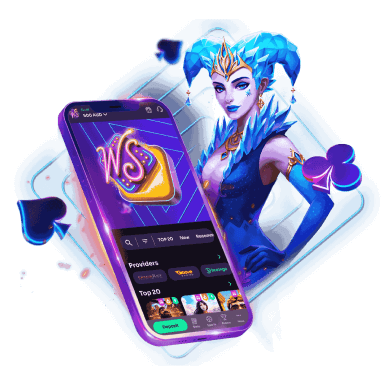
WinSpirit is always with you!
Install the application and participate in the Play with the App promo.
We use innovative installation technology directly from the browser. For any operating system.